Define the Stratum.Server Data Source
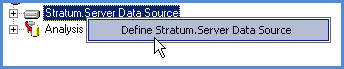
Right-click the Stratum.Server Data Source node
 ,
and select Define Stratum.Server Data Source.
,
and select Define Stratum.Server Data Source.Use the Define Stratum.Server Data Source window to specify the location and name of the Stratum.Server database that will be the data source.

Define the Analysis Services Database
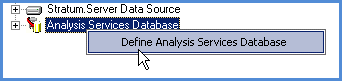
Right-click the Analysis Services Database node
 ,
and select Define Analysis Services Database.
,
and select Define Analysis Services Database.Use the Analysis Services Database window to specify the Analysis Services database and cube properties.

Define the Stratum.Viewer Data Source
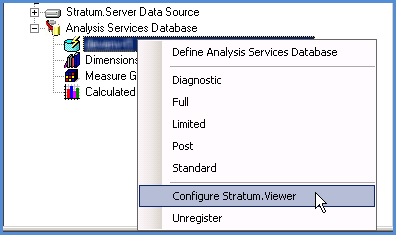
Right-click the name of the Analysis Services database
 ,
and select Configure Stratum.Viewer.
,
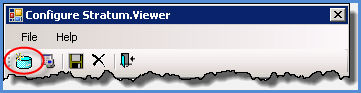
and select Configure Stratum.Viewer.Then click New
 in the Configure
Stratum.Viewer window, and use the Define
Stratum.Viewer Data Source window to specify the location
and name of the Stratum.Viewer SQL Server database for use
with this Stratum.Connector for Viewer environment.
in the Configure
Stratum.Viewer window, and use the Define
Stratum.Viewer Data Source window to specify the location
and name of the Stratum.Viewer SQL Server database for use
with this Stratum.Connector for Viewer environment.

Make Dimension Selections
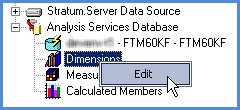
Right-click the Dimensions node
 , and
select Edit.
, and
select Edit.Use the Dimension Selection window to choose the dimensions, hierarchies, levels, and attribute relationships for your cube.

Make Measure Group Selections
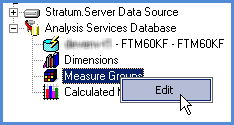
Right-click the Measure Groups node
 ,
and select Edit.
,
and select Edit.Use the Measure Group Selection window to choose the measure groups, measures, partitions, and dimensions to make available in Stratum.Viewer.

Make Calculated Member Selections
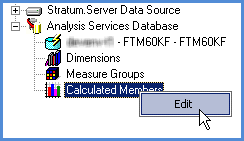
Right-click the Calculated Members node
 , and select
Edit.
, and select
Edit.Use the Calculated Member Selection window to choose the calculated members for your cube.

Customize Parameter Settings
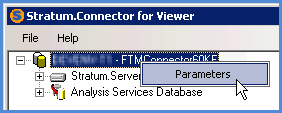
Right-click the name of the Stratum.Connector for Viewer SQL Server database
 ,
and select Parameters.
,
and select Parameters.Use the Parameter Settings window to customize several settings including those for the handling of key errors and the batch processing of Stratum.Connector for Viewer updates.

Process the Database
Right-click the name of the Analysis Services database
,
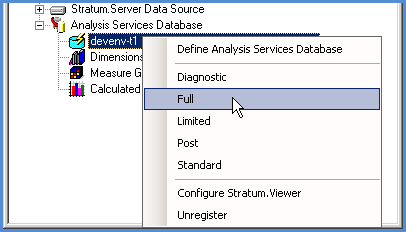
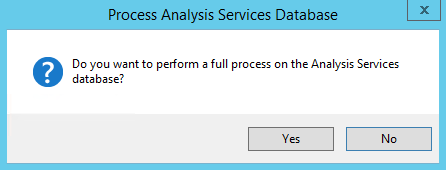
and select Full.Use the Full window to initiate a full process of the database. You will be asked to confirm that you want to proceed with a Full process.