|
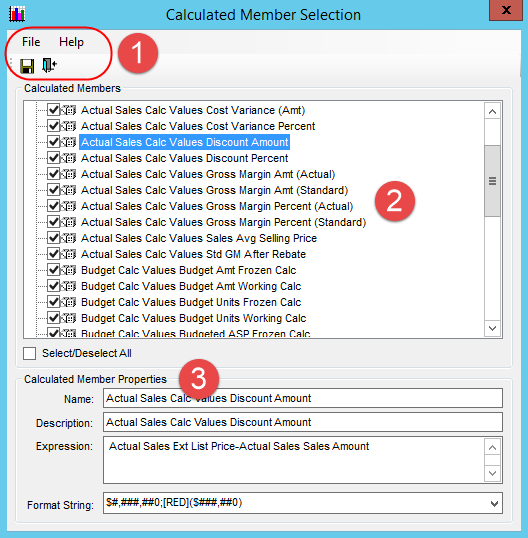
Menus
and Toolbar - There are standard File and Help menus at
the top of selection windows. Use options on the File menu or
the icons below it to save edits in |
|
Calculated Members - This section displays any Stratum.Administration calculations that exist for the measures selected in the Measure Group Selection window.
|
|
Calculated Member Properties - Click a calculated member to see its properties. All properties can be edited except for the Expression, which is read only. Note: All properties will remain disabled in the case of calculated members that haven't been selected for your database.
|

 or close
 a window. Use options on the
Help menu to access the help file or version information about
Stratum.Connector for Viewer.
a window. Use options on the
Help menu to access the help file or version information about
Stratum.Connector for Viewer.
