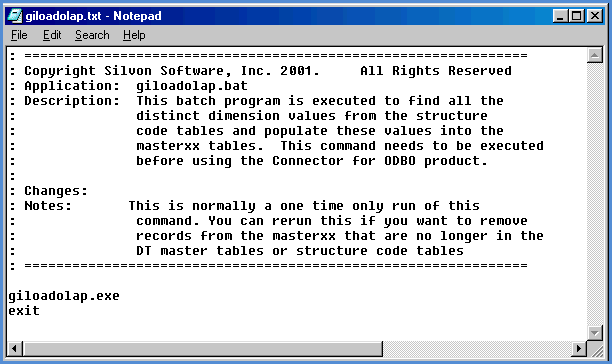
Running the GILOADOLAP command creates for each dimension a list of the distinct dimension values in all the Structure Code tables of the Stratum storage database. Then, a MASTERxx table will be created for each dimension and populated with the list of Dimension Values. These tables are used when the GICRTOMAST command is run to create the MASTxx tables.
The GILOADOLAP command typically needs to be run just once. It can be run again, though, if you want to remove from the MASTERxx tables records that are no longer in the Stratum Master Files or Structure Code tables. Or, you can run it for just a subset of the storage database. For example, if new dimensions are added to the database after you have already run this command for the entire database, then the command can be run again for only the new dimensions, years, and data sources. By also turning on the Maintain OLAP switch of the GISLSDRV, GIACSDRV (Apply Change Set), and GIGRPCHG (Apply Group Change Set) commands, the MASTERxx tables will be maintained during the nightly load process for the Stratum storage database.
|
Switch |
Description and Choices |
|
/DATASRC=Data Source Name |
Controls which data sources are used during the command execution. *ALL GILOADOLAP will process for all of the data sources. This is the default setting. Data Source Name GILOADOLAP will load distinct dimension values for the specified data source. Example: /DATASRC=DSDS. |
|
/YEAR=Data Year
|
Controls which years of data will be processed during command execution. *ALL GILOADOLAP will process all years for the specified data source. Year GILOADOLAP will process only the given year for the specified data source. A single year can be specified. If several years worth of data need to be processed, run the command for each year and each time specify the particular year you need to process. |
|
/DIM=Load Olap Dimensions |
Controls which dimensions are processed during GILOADOLAP. *ALL GILOADOLAP will process all dimensions. Dimension Ids GILOADOLAP will process the specified dimension. Enter the dimensions in a comma-delimited format. Example: 2,3. |
|
/TT=Truncate Table Before Loading |
Set the parameter to 1 (Yes) if you want MASTERxx tables to be cleared before they are loaded with distinct dimension value information. For example, you may run GILOADOLAP for all data sources, years, and dimensions and then need to run the command again only for certain data sources, dimensions, and years specified. You can set this parameter to 1 to clear old information from the MASTERxx tables before the new information is loaded. Or, you can set the parameter to 0 (No) if you prefer not to truncate (clear) tables. Then, distinct dimension values resulting from the subsequent command execution will be accumulated into the tables along with information from previous instances of executing the command. |