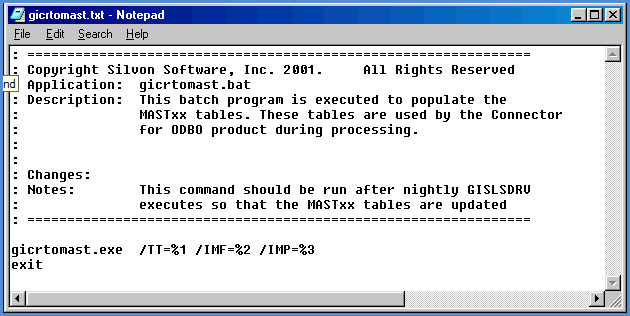
Running the GICRTOMAST command on the Stratum storage database to create and populate the MASTxx tables based on information in the MASTERxx tables. You can run the command for all dimensions, years, and data sources or for a subset of data from the storage database. For example, if new dimensions are added to the database after you have already run this command for the entire database, then the command can be run again for only the new dimensions, years, and data sources. You can then work with the new data in Stratum.Connector for Viewer. When setting up the nightly Stratum load program, also place this command at the end of the program using the parameters described below so the MASTxx tables will be maintained.
During the command processing, the MASTERxx tables are reviewed along with the Stratum Master File tables (STCSMF10, STCSMF11, STCSMF35, and STCSMP12). Short description, long description, additional field (Pickup Field), and other Master File information from the Stratum Master File tables will be added to the MASTxx tables for the dimension values in the MASTERxx tables. If a dimension value in a MASTERxx table does not have a description in the Stratum Master File tables, then the value itself is used as the short and long descriptions in the MASTxx tables. If Pickup Fields or Previous Levels are defined for a Dimension but Master File information does not exist for a particular dimension value, then the default dimension value will be used in the MASTxx tables for the PickUp Field and Previous Level Values.
For more information about the GICRTOMAST command, use the /? = Report switch. Using "/?" with any Stratum Windows command generates a report about the command. The report will include a brief description of the command, program requirements, standard requirements, and other options that can be used for the command.
|
Switch |
Description and Choices |
|
/DIM=Create Olap Mast Dimensions |
Controls which dimensions are processed during GICRTOMAST. *ALL GICRTOMAST will process all dimensions. Dimension Ids GICRTOMAST will process the specified dimension. Enter the dimensions in a comma-delimited format. Example: 2,3. |
|
/TT = Truncate Table Before Loading |
Set the switch to 1 (Yes) if you want MASTxx tables to be cleared before they are loaded with Master File information. Use this option if you truncate the Stratum Master File tables before each load and you have either one or both of the LOAD Master File Data or Load Previous Level Data parameters set to 1. |
|
/IMF = Load Master File Data |
Set the switch to 1 (Yes) to load records from the Stratum Master File tables into the MASTxx tables for Dimension Values regardless of whether or not actual data exists for them in the Structure Code tables. This parameter ensures that Master File data exists for all Dimension Value combinations regardless of whether or not actual data exists for them in Structure Code tables of the Stratum storage database. |
|
/IMP = Load Previous Level Data |
Set the switch to 1 (Yes) to load all Previous Level Master File data into the MASTxx tables regardless of whether or not actual data exists for them in Structure Code tables of the Stratum storage database. |