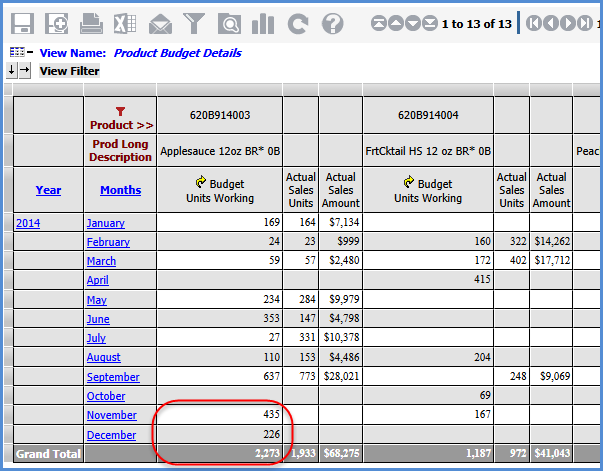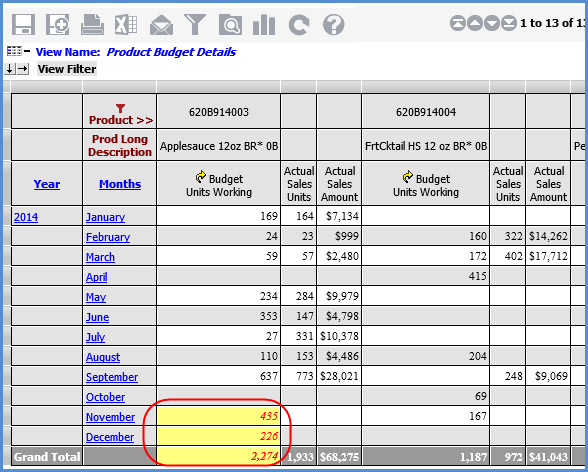
The Planning Update formatting of cells and values is only applied to cells in the grid that contain pending planning changes. Formatting will revert back to the standard formatting once the user saves their planning updates by executing the Update Plan Process. Planning Update formatting is also removed when planning changes are cancelled due to other actions you take in the grid, such as drilling up or down in the view prior to processing your pending changes.
This view has some pending changes. The second image that follows shows the refreshed grid after the changes have been processed.