The following examples show comparisons of views with repeating values disabled and enabled. The second example shows how repeating values are carried over to Excel worksheets when views are exported to Excel.
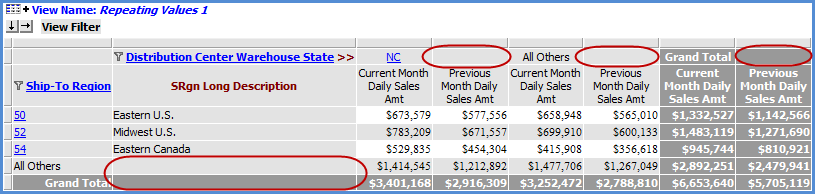
This view has a single level displayed on rows and columns. A row and column is displayed for All Others data, and totals are displayed. Repeating values are disabled on rows and columns. No repeating values display in the detail cells marked in this example.
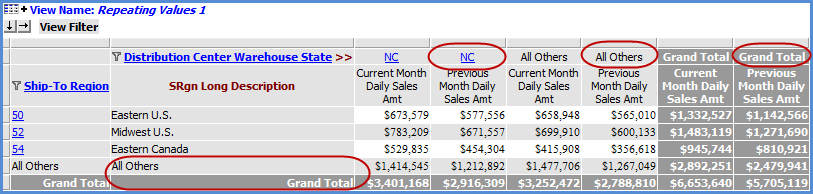
Here is the view after repeating values are enabled for rows and columns.
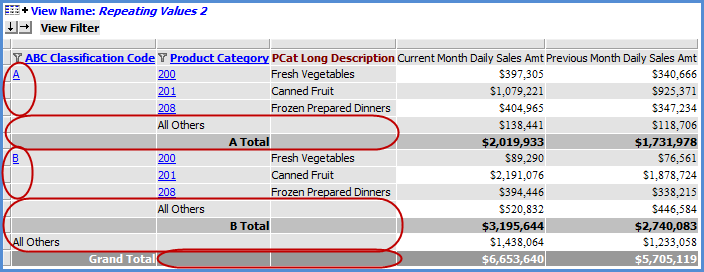
The second level has been drilled to on rows in this view. Rows are displayed for All Others data, and totals are displayed for all levels. Repeating values are disabled. No repeating values display in the detail cells marked in this example.
Here is the view after repeating values are enabled for rows.
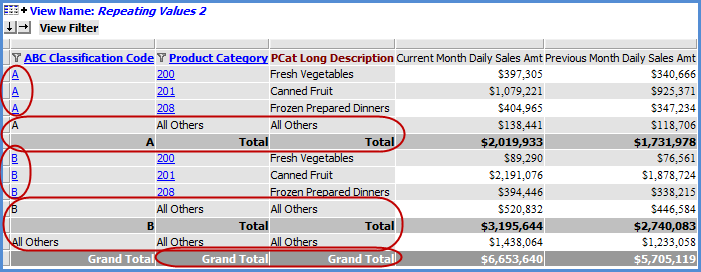
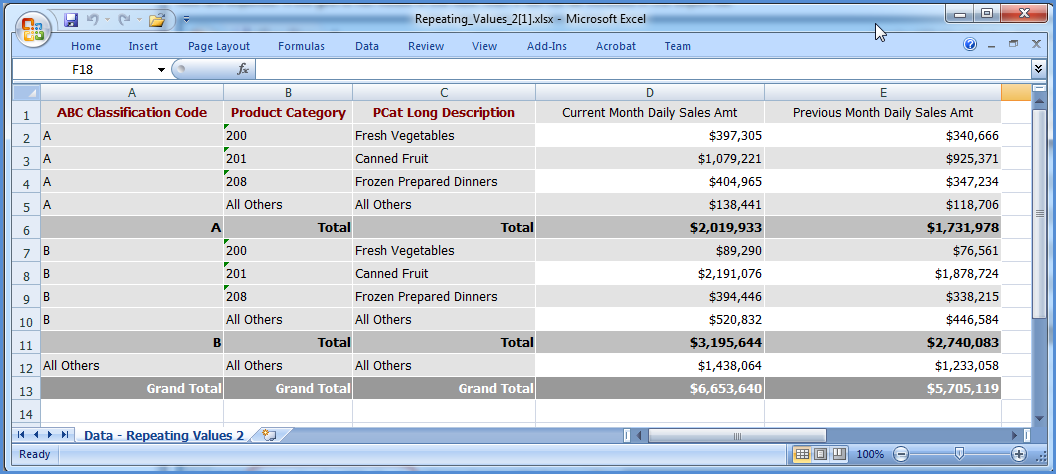
Next is a comparison of the view results, in their differing states, after being exported to Excel. Repeating values only display in the second instance where the view itself had repeating values enabled.
The export when repeating values were disabled:
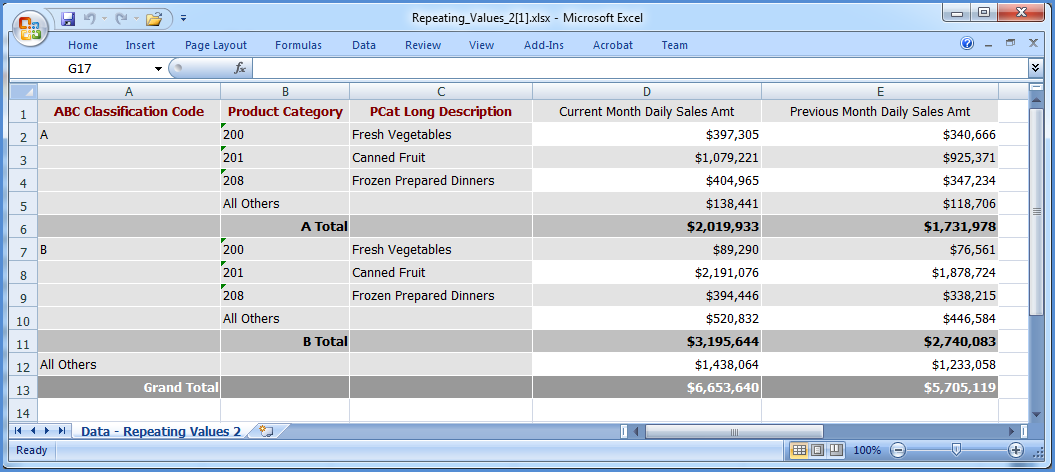
The export when repeating values were enabled: