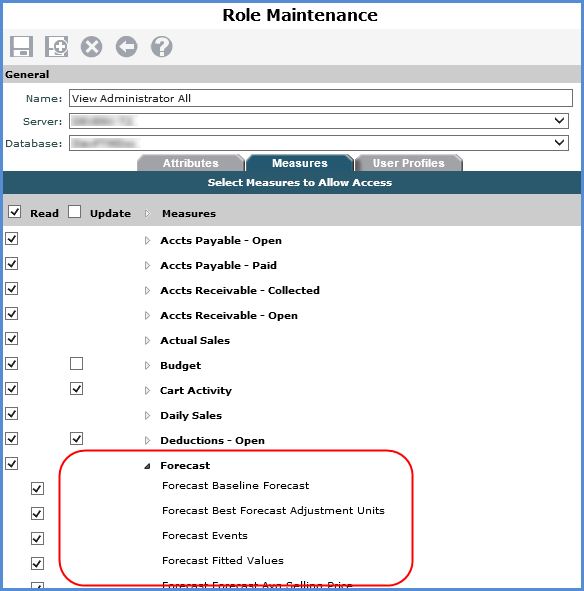
The Update Enabled setting in Stratum.Connector for Viewer influences role settings in Stratum.Viewer related to planning functionality. Administrators can only give users Update access to measures for planning purposes if the measure group for the measures in Stratum.Connector for Viewer are Updated Enabled.
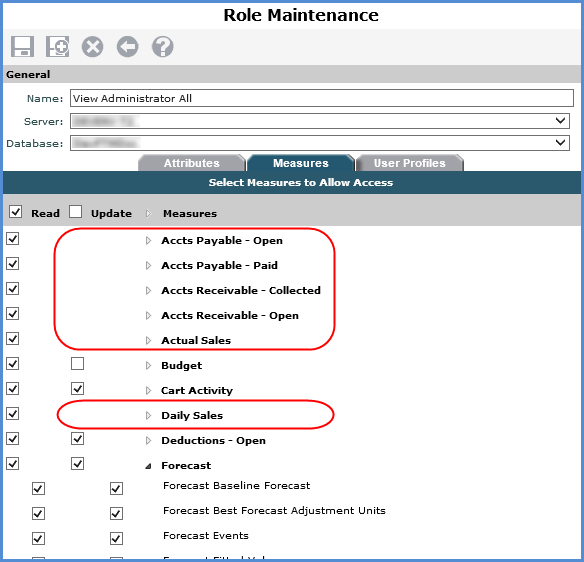
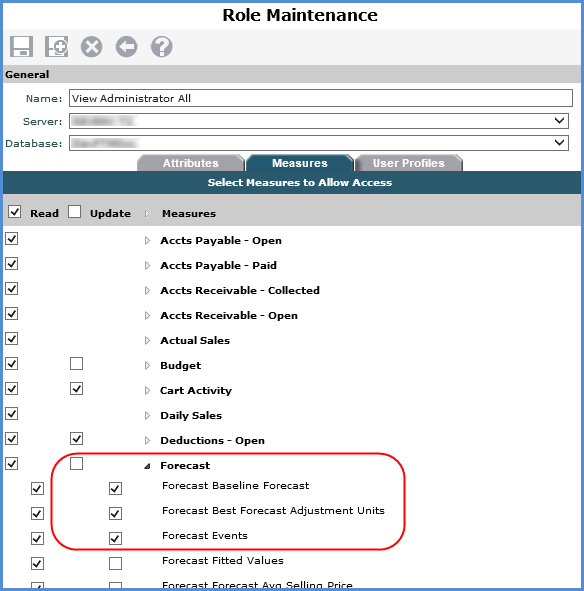
The next image shows an example of the Role Maintenance window in Stratum.Viewer. The circled measure groups (Categories) do not have Update checkboxes because they were not Update Enabled in Stratum.Connector for Viewer. Stratum.Viewer users cannot be given Update access to measures in any of those groups. The remaining measure groups, including Budget and Forecast, have Update checkboxes because they were Update Enabled in Stratum.Connector. By default, the Update checkboxes for those measure groups will be de-selected in the Role Maintenance window for all roles. Stratum.Viewer security administrators can give Update access to any measures in those groups by selecting their Update checkboxes. The second image shows a role that has been given Update access to a few Forecast measures.
Here is the Measure Group Selection window in Stratum.Connector for Viewer that corresponds to the previous images. This window is where the Update Enabled property is controlled. Notice the Update Enabled checkbox is selected for Forecast. The same thing was done for Budget, Cart Activity, and Deductions.
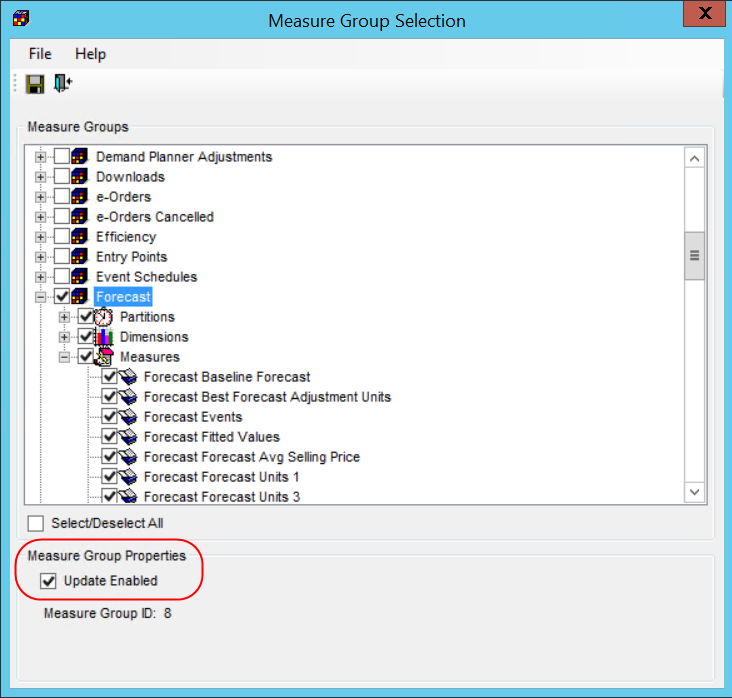
Changing the Update Enabled setting will change the Update checkboxes in the Stratum.Viewer Role Maintenance window. Here is the Measure Group selection window after Update Enabled was de-selected for Forecast.
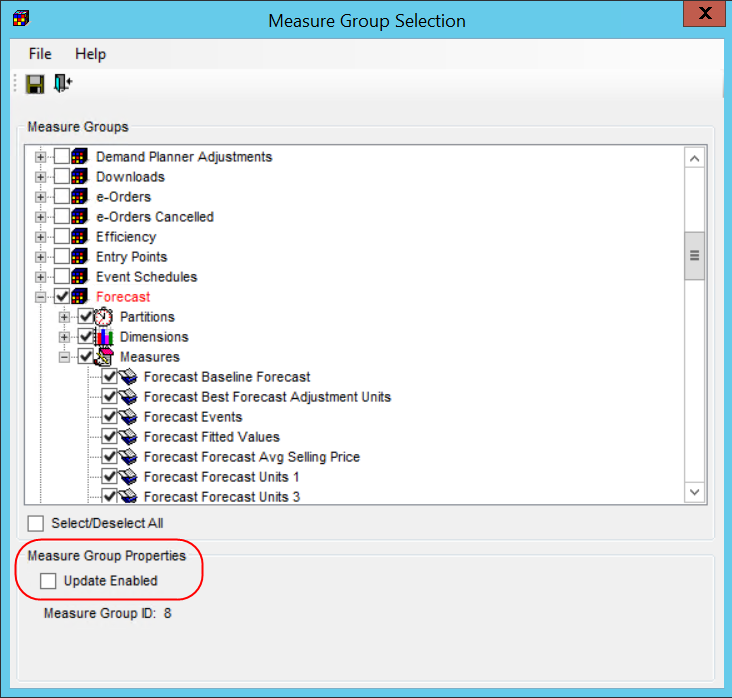
After that change was saved and the Analysis Services database was processed, the Update checkboxes for Forecast were removed for all roles in Stratum.Viewer and no users will be able to update Forecast measures.